
Top 9 handmnailandspa.com Alternatives for Salons in 2026

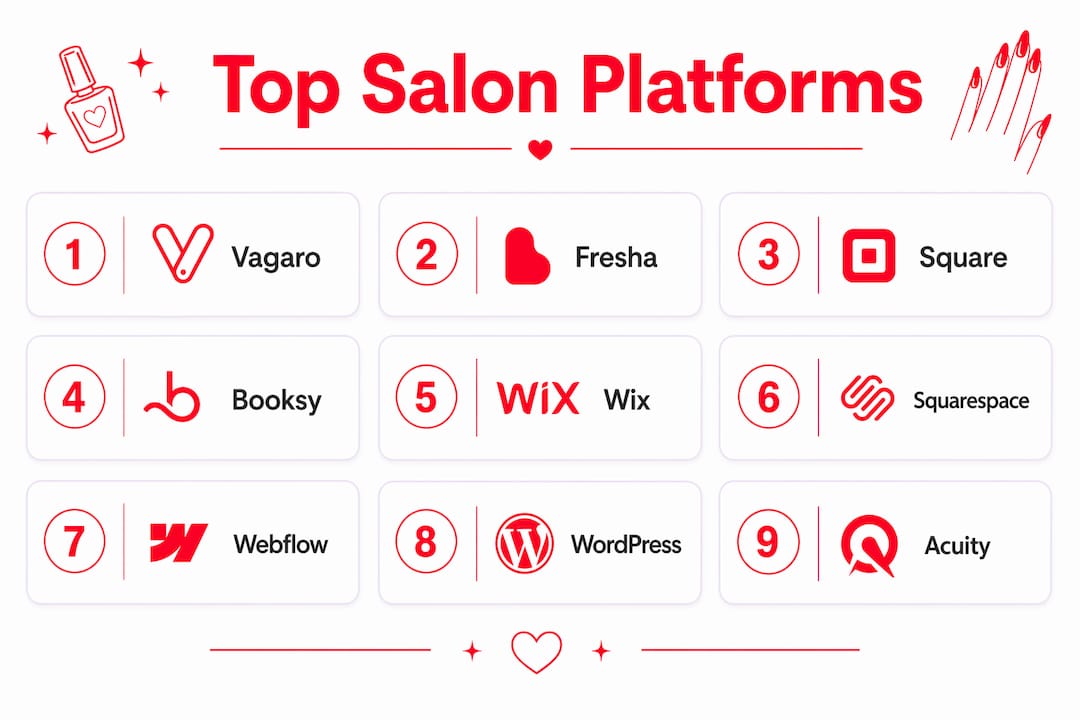
If you’re searching for handmnailandspa.com alternatives, the short answer splits into two categories: design-first website builders and purpose-built salon booking platforms. The builders (Squarespace, Wix, Webflow, WordPress) give you visual control and portfolio-forward sites. The booking platforms (Vagaro, Fresha, Booksy, Square Appointments, Acuity Scheduling) give you turnkey scheduling, CRM, and payment processing out of the box. Which one you need depends on whether you want to copy a look or actually book an appointment.
Here’s the fast shortlist:
Squarespace — best-looking templates for design-focused salons, starting at $16/month
Wix — easiest drag-and-drop builder with built-in scheduling, starting at $17/month
Webflow — maximum design control for developers and agencies
WordPress — most flexible with plugins, best for salons that want full ownership
Vagaro — all-in-one salon platform with POS, per-tech scheduling, and marketing tools
Fresha — commission-free subscription model with strong marketplace exposure
Booksy — client-facing marketplace plus in-app booking, popular with independent techs
Square Appointments — free tier for solo techs, integrates tightly with Square POS
Acuity Scheduling — clean booking widget, strong for appointment-only studios
Browser-based booking with no app download required is the single biggest factor in reducing abandonment. Nearly nine out of ten regular clients say they’re more likely to return to a salon that offers 24/7 booking and easy rescheduling. Keep that in mind as you compare.
For Bradenton readers who want to skip the comparison entirely: TJ Nails offers online booking in Bradenton with no app required.
Table of Contents
How do these nail salon alternatives actually compare?
Platform | Best for | Online booking | Payments & POS | Pricing model | Mobile UX | Customization | App required? | Extras |
Squarespace | Design-focused indie salons | Third-party widget (e.g., Acuity) | Stripe/PayPal via plugin | From $16/mo subscription | Fast, mobile-optimized | High (templates) | No | Email confirmations |
Wix | Beginners, small salons | Built-in Wix Bookings | Wix Payments, card-on-file | From $17/mo subscription | Good | Medium-high | No | SMS reminders (paid) |
Webflow | Agencies, design-first studios | Third-party only | Third-party | Varies (hosting + tools) | Excellent | Very high | No | Custom everything |
WordPress | Salons wanting full ownership | Plugin (e.g., Bookly) | Plugin-dependent | Hosting + plugin costs | Varies by theme | Maximum | No | Depends on plugins |
Vagaro | Growing salons, multi-tech | Built-in, in-site | Full POS, card-on-file | From ~$30/mo | Strong | Medium | No (web booking) | SMS/email, tip-splitting, per-tech scheduling |
Fresha | Indie salons, marketplace reach | Built-in, in-site | Card-on-file, deposits | Free + commission on new clients | Excellent | Low-medium | No | Reminders, loyalty |
Booksy | Independent techs, marketplace | In-app + web | Card-on-file | Subscription + marketplace | Good | Low | App preferred | SMS reminders |
Square Appointments | Solo techs, free-tier starters | In-site | Square POS, card-on-file | Free (solo) / — | Good | Low | No | Reminders, no-show protection |
Acuity Scheduling | Appointment-only studios | In-site widget | Stripe, Square, PayPal | From $16/mo | Good | Medium | No | SMS/email, intake forms |
Trade-off to keep in mind: builders give you a beautiful site but require a separate booking tool. Salon platforms handle scheduling and CRM natively but offer less design freedom. Most serious salons end up pairing one of each.
Short profiles: what each platform actually does
Squarespace
Squarespace is a website builder, not a salon platform. Its templates are genuinely polished, and it’s the go-to for salons that want a portfolio-forward site with strong photography. You’ll need to embed a third-party booking widget (Acuity integrates cleanly since Squarespace owns it). Pricing starts at $16/month. Not the right pick if you need built-in POS or per-tech scheduling.
Wix
Wix is the most accessible builder on this list. Wix Bookings is built in, so you don’t need a separate tool for basic scheduling. Card-on-file and SMS reminders are available on paid tiers. Best for a solo tech or small salon that wants one login for everything without a steep learning curve.

Webflow
Webflow is for designers and developers who want pixel-level control. There’s no native booking system, so you’ll integrate a third-party tool. The output is fast, visually distinctive, and fully custom. Overkill for most small salons, but the right call for a studio that treats its website as a brand statement.
WordPress
WordPress powers a huge share of the web and gives you more flexibility than any other builder. Booking plugins like Bookly or Amelia add scheduling. The catch: you manage hosting, updates, and plugin compatibility yourself. Best for salons with a tech-savvy owner or a developer on call.
Vagaro
Vagaro is a full salon management platform. It handles booking, POS, payroll, marketing, and per-technician tip-splitting. Pricing tiers range from entry-level options for solo techs to mid-market subscriptions for growing salons. It also supports simultaneous-service bookings, which lets a client book a manicure and pedicure with two techs at the same time — a real revenue driver for busy clients.
Fresha
Fresha runs on a commission-on-new-clients model rather than a flat monthly fee, which makes it attractive for salons watching cash flow. The marketplace gives you exposure to clients actively searching for nail services nearby. Card-on-file and deposits are built in, which helps with no-show protection. Design customization is limited, but the booking flow is clean and app-free on the web.
Booksy
Booksy is popular with independent nail techs because it doubles as a client-facing marketplace. Clients can discover you through the Booksy app, which adds a discovery layer most builders lack. The trade-off: clients are nudged toward the app, which adds friction for first-time web bookers.
Square Appointments
Square Appointments is the easiest entry point for a solo tech who already uses Square for payments. The free tier covers one location and one staff member. Card-on-file and automated reminders are included. It’s not built for multi-tech tip-splitting or complex per-technician scheduling, but for a one-person studio it’s hard to beat the price.
Acuity Scheduling
Acuity is a clean, reliable booking widget that embeds into any site. It handles intake forms, deposits, and automated SMS/email confirmations well. Best for appointment-only studios that already have a website and just need a booking layer dropped in. Starts at $16/month.
How do you pick the right alternative?
Start with one question: do you need to book an appointment right now, or do you want to copy a website design?
If you want to book: go straight to a booking platform (Vagaro, Fresha, Square Appointments, or Booksy). Check whether the site lets you book without downloading an app, and confirm the service menu matches what you saw on Google.
If you want to copy a design: look at Squarespace, Wix, or Webflow for the visual layer, then decide which booking tool to embed.
Here’s a numbered checklist to run through before committing to any platform:
Does booking require an app download, or can you complete it in a browser?
Can you book multiple services simultaneously (e.g., gel manicure + pedicure with two techs)?
Does the platform support per-technician scheduling so you can request a specific tech?
Is card-on-file or a deposit available to protect against no-shows?
Do the service menu, hours, and prices match what’s listed on Google?
Are SMS or email confirmations sent automatically after booking?
Is tip-splitting supported if you’re booking for a group?
Red flags to avoid:
A forced app download before you can see the booking calendar
No card-on-file or deposit option for higher-end services
Service menus that differ between the website and Google Business Profile
No cancellation policy visible before you confirm
What design and conversion features do the best nail salon sites share?
The 2026 standard for a salon website isn’t just “looks good on mobile.” Salon experts now describe it as smart and aesthetic: visually strong design paired with booking automation, mobile responsiveness, and retention features working together.
A practical minimum site includes a homepage, service menu, gallery, booking path, policies page, contact info, and an FAQ section. Northbridge’s nail salon website guidance frames this as a functional first build rather than a brochure. The core conversion elements that separate high-booking sites from pretty ones:
Mobile-first layout with a booking CTA visible without scrolling
Service menu with prices (or a clear “pricing on request” note) so clients don’t have to call
Portfolio organized by service type (gel, acrylic, SNS dip) AND by aesthetic style (minimal, intricate art)
Technician bios with style tags so clients can self-select by preference
In-site booking widget that completes in the browser, no redirect or app
Instant confirmation by SMS or email after booking
Policy snippets (cancellation, deposits, late arrivals) on the booking page itself
Pro Tip: Categorize your gallery both by service and by aesthetic style. A client searching for “minimal gel” and a client searching for “intricate nail art” are different buyers. Letting them filter by both reduces pre-appointment questions and increases the chance they book the right technician.
Switching booking platforms without losing appointments
The fastest safe path is to run the new system in parallel for 7–14 days before cutting over. Here’s a practical sequence:
Pre-launch (days 1–7): Set up the new platform, import client list, configure services and pricing, and test the full booking flow on mobile. Confirm SMS and email confirmations fire correctly.
Soft launch (days 8–14): Open the new booking link to a small group (staff, regulars). Enable card-on-file or deposits for new bookings to test payout flows. Keep the old system live.
Full switch (day 15): Update your Google Business Profile booking link to the new URL. Redirect or replace the old booking button on your website. Notify clients by email or SMS.
Post-launch monitoring (days 15–30): Watch for double-bookings, missed confirmations, and payout discrepancies. Keep a staff member assigned to override and walk-in handling for the first week.
Operational notes worth flagging: update your Google Business Profile the same day you switch, not after. Inconsistent booking links between your site and Google are one of the fastest ways to lose a new client who found you through search. Keeping booking links consistent across Google, social profiles, and your website is a trust signal that stale or mismatched info destroys.
Pro Tip: Schedule a 30-minute staff Q&A the day before launch. Role-play the check-in flow, walk through the cancellation policy, and make sure front-desk staff know how to handle a walk-in when the new system shows the slot as booked.
How we selected these alternatives
Inclusion criteria: US availability, mobile-first web booking (no app required to complete a booking), support for per-technician scheduling or a clear design-first builder with a documented booking integration path.
Exclusion rules: App-only experiences with no web booking path; platforms not available in the US market.
Sources checked: Live site examples from published nail salon website roundups, platform documentation, and industry trend coverage from Zenoti and Northbridge.
Last updated: 2026.
Which payment gateways do these platforms support?
Payment integration varies more than most comparison guides admit. Square Appointments is the tightest integration on this list: Square POS, card-on-file, and tip collection are all native. Vagaro supports its own POS hardware plus card-on-file and integrates with common processors. Fresha handles payments through its own system, which keeps the flow clean but limits external processor choice.
On the builder side, Squarespace connects to Stripe and PayPal via plugin. Wix Payments is the native option, with Stripe available as an alternative. WordPress is processor-agnostic through plugins like WooCommerce or Stripe’s official plugin. Webflow relies entirely on third-party integrations.
For salons that need card-on-file and deposits as standard practice, Vagaro, Fresha, and Square Appointments are the clearest choices. Builders require an additional layer to get there.
What CRM and marketing features should you expect?
Booking platforms do more than schedule appointments. Vagaro includes a built-in CRM, email and SMS marketing campaigns, loyalty programs, and automated review requests. Fresha offers client history, rebooking reminders, and a marketplace profile that functions as passive marketing. Booksy includes promotional tools and a client messaging system.
Square Appointments keeps it simpler: client profiles, appointment history, and basic automated reminders. Acuity focuses on the booking layer and leaves marketing to integrations like Mailchimp.
Website builders don’t include CRM natively. A WordPress or Squarespace site needs a third-party CRM (HubSpot’s free tier, for example) or an email platform like Mailchimp connected via plugin or Zapier. The upside is flexibility; the downside is more tools to manage.
One thing worth watching: salons with stale social profiles and weak Google Business Profile optimization lose high-value clients even when the website itself looks great. CRM and marketing features only work if the top-of-funnel (Google, Instagram) is active and consistent.
Key Takeaways
The right alternative to handmnailandspa.com is a booking platform (Vagaro, Fresha, Square Appointments) if scheduling and CRM are the priority, or a design-first builder (Squarespace, Wix, Webflow) if visual control and portfolio presentation come first.
Point | Details |
Builder vs. platform | Choose a website builder for design control; choose a booking platform for native scheduling, POS, and CRM. |
No-app booking matters | Browser-based booking with no app download required significantly reduces abandonment for new clients. |
Deposits reduce no-shows | Card-on-file and deposit features are standard practice for protecting revenue on higher-end services. |
Consistency across channels | Keep service menus, hours, and booking links identical on your website, Google Business Profile, and social profiles. |
Bradentonnails / TJ Nails | TJ Nails in Bradenton, FL offers online booking, SNS dip, gel, and waxing services with no app required. |
Why the “builder vs. platform” framing misses the real question
Most articles on nail salon alternatives frame the choice as builders versus booking platforms, as if you have to pick a lane. That framing is useful for a quick scan, but it obscures what actually drives bookings: whether the end-to-end client experience feels frictionless from the first Google search to the confirmation text.
A salon can have a stunning Webflow site and still lose clients because the embedded booking widget redirects to a third-party page that looks nothing like the brand. Conversely, a plain Vagaro page with strong photos and a clean service menu can outperform a beautiful custom site that buries the booking button three scrolls down.
The question to ask isn’t “builder or platform?” It’s “where does my booking flow break, and what’s the fastest fix?” For most small salons, that answer is almost always the same: the booking path is too long, requires an app, or shows a service menu that doesn’t match Google. Fix those three things first, then worry about the template.
TJ Nails in Bradenton is a local alternative worth booking
If you’re in the Bradenton area and want to skip the platform research entirely, TJ Nails delivers exactly what this checklist describes: online booking with no app required, a full service menu covering manicures, pedicures, and SNS dipping, per-technician selection, and flexible hours including Sundays.
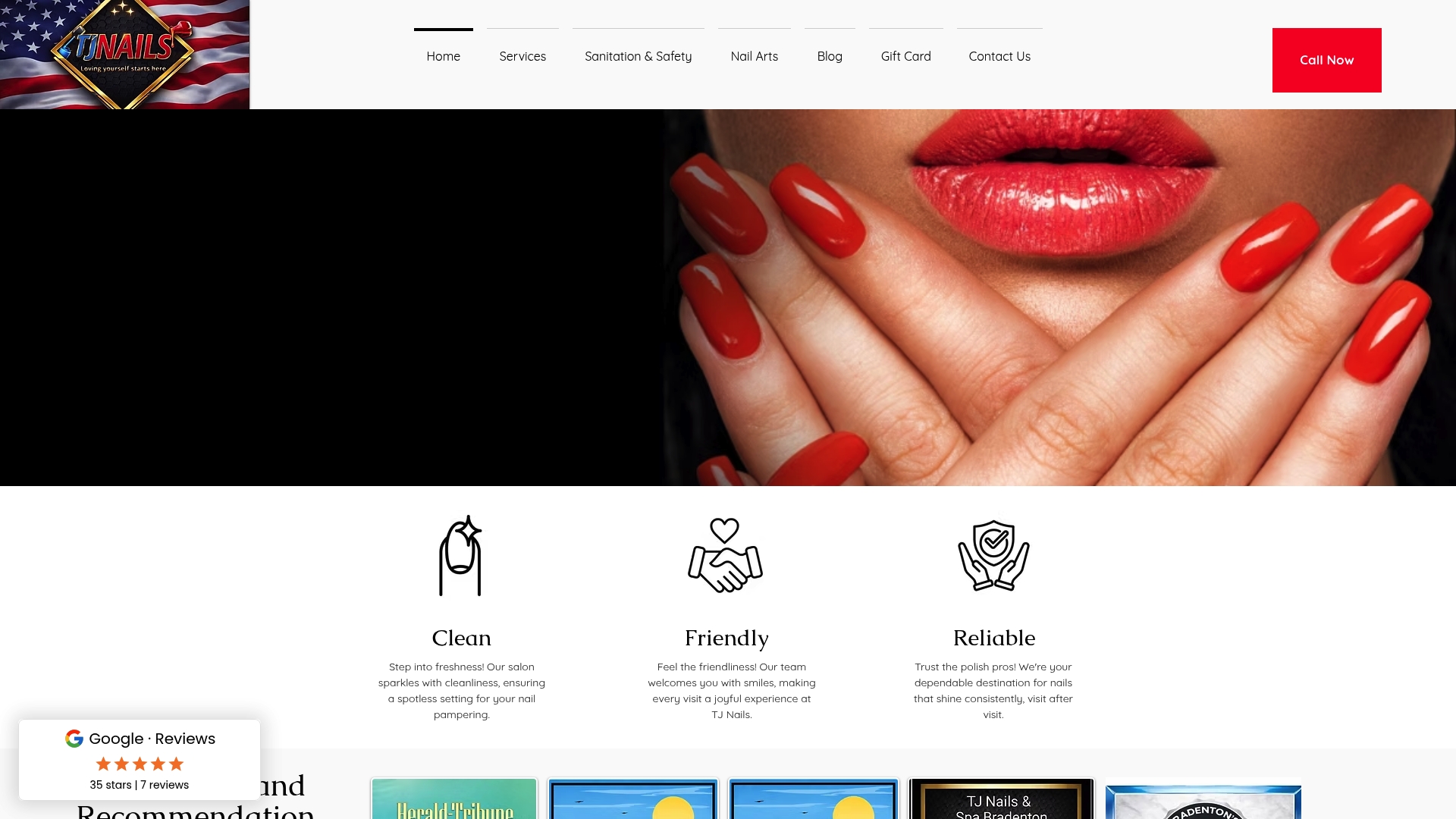
Online booking direct from the website, no app download
SNS dip powder, gel, acrylic, nail art, and waxing services
Skilled technicians with individual specialties
Open Sundays, flexible scheduling for busy clients
Located in West Bradenton, serving Palmetto and Ellenton
Book your appointment at TJ Nails and see the booking flow in action.
Useful sources and live examples to inspect
Zenoti: 2026 nail salon trends — industry data on booking behavior and the smart-plus-aesthetic site standard
Zenoti: nail salon software guide — pricing tiers and platform feature breakdowns
Northbridge: nail salon website design guidance — practical minimum page structure and mobile UX principles
Qrolic: nail salon website features checklist — POS, card-on-file, reminders, and tip-splitting as standard features
OpenPR: 2026 digital visibility alert — Google Business Profile and social consistency data
Bradentonnails: local booking alternatives — live example of a local booking flow to test
Open the booking widget on any of these live examples and walk through the full flow on your phone. The gap between a clean booking experience and a frustrating one is usually visible within two taps. Links were last verified in 2026; check live pages for current pricing and availability.
Recommended
Comments